Delete Account

You can delete your Meily Trips account and associated data following the next steps directly in the app:

  1. Login into your account in the app, and go to one of the the main screens: Guides, Trips, or Posts.
  2. Select the user setting icon, located at the top-right part of the home screen in the app.
  3. Scroll all the way down, and select delete account.
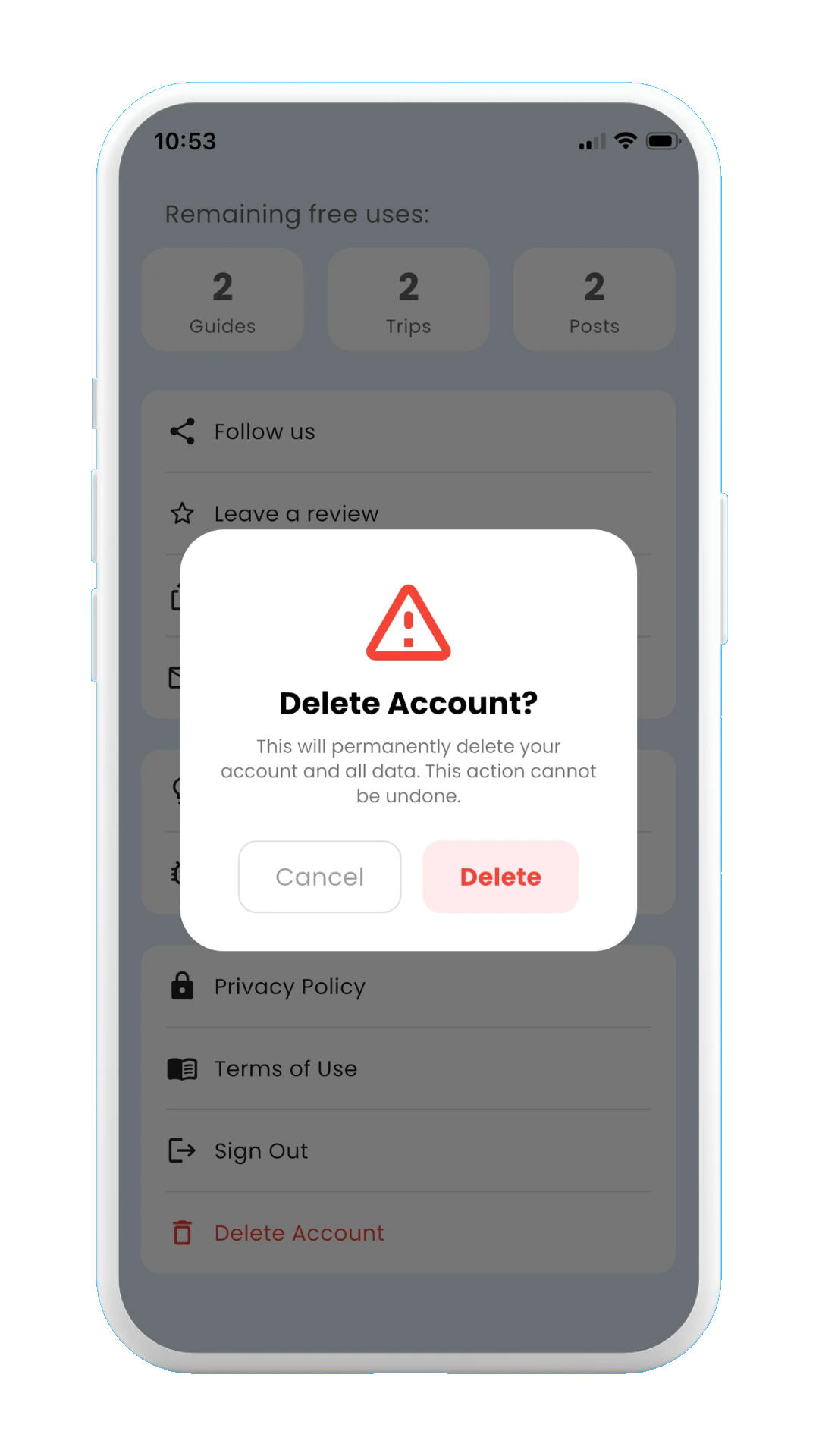
  4. A new window will be displayed, asking for confirmation. Confirm that you want to delete your account.
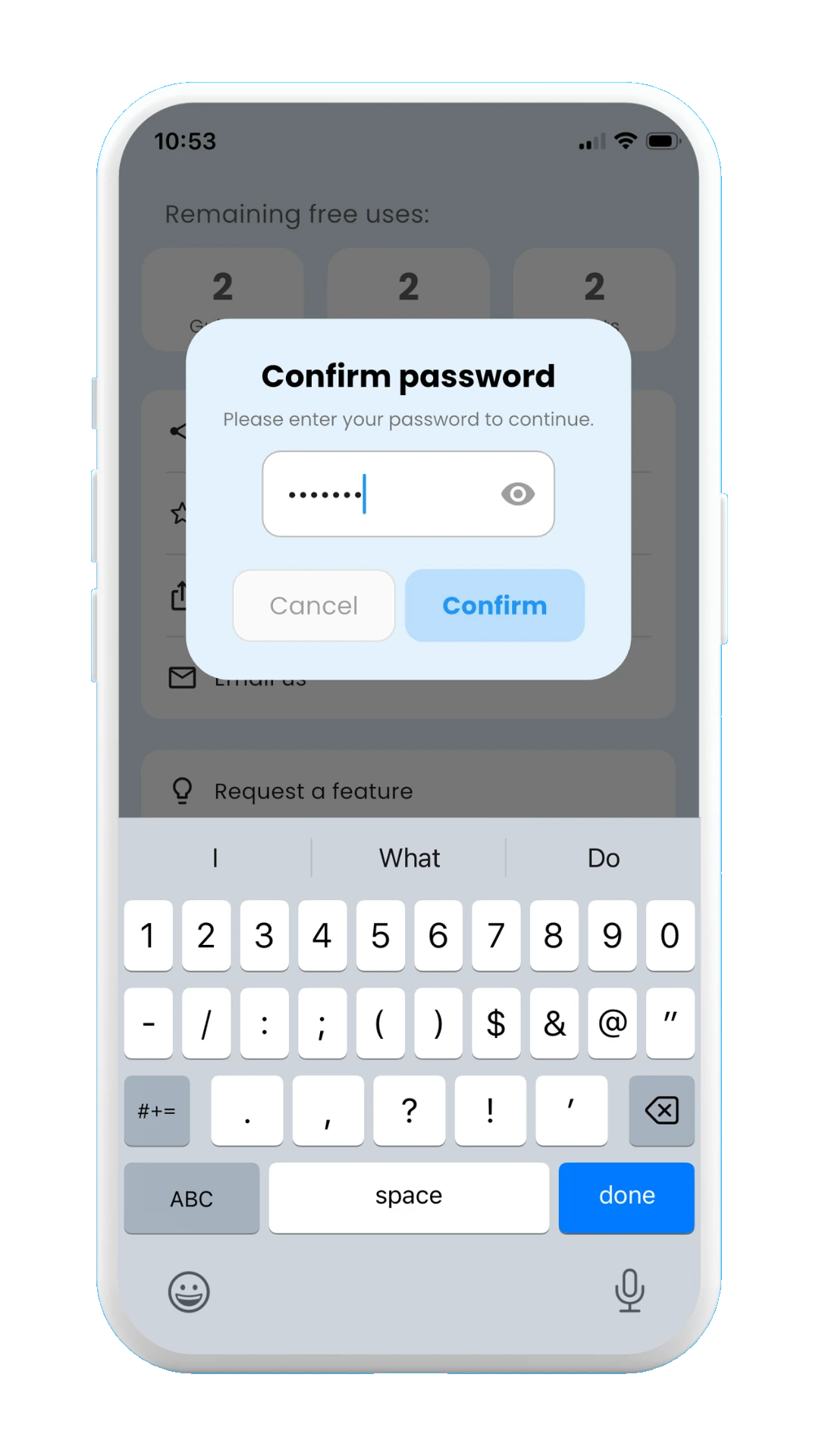
  5. Enter the password of your account to finally confirm the account deletion.
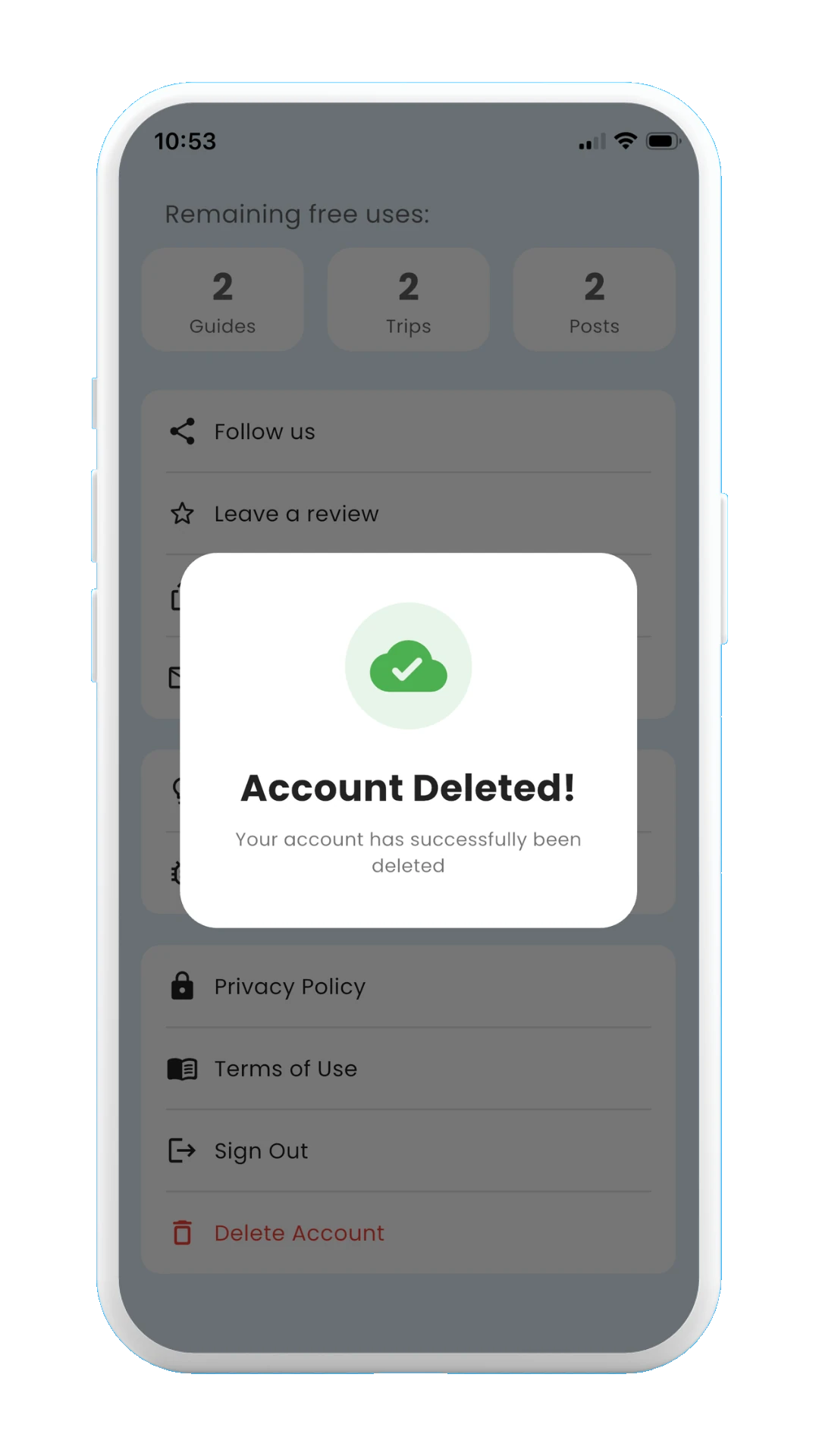
  6. If the password is correct, the account and all your data will be deleted, showing a success message on screen.
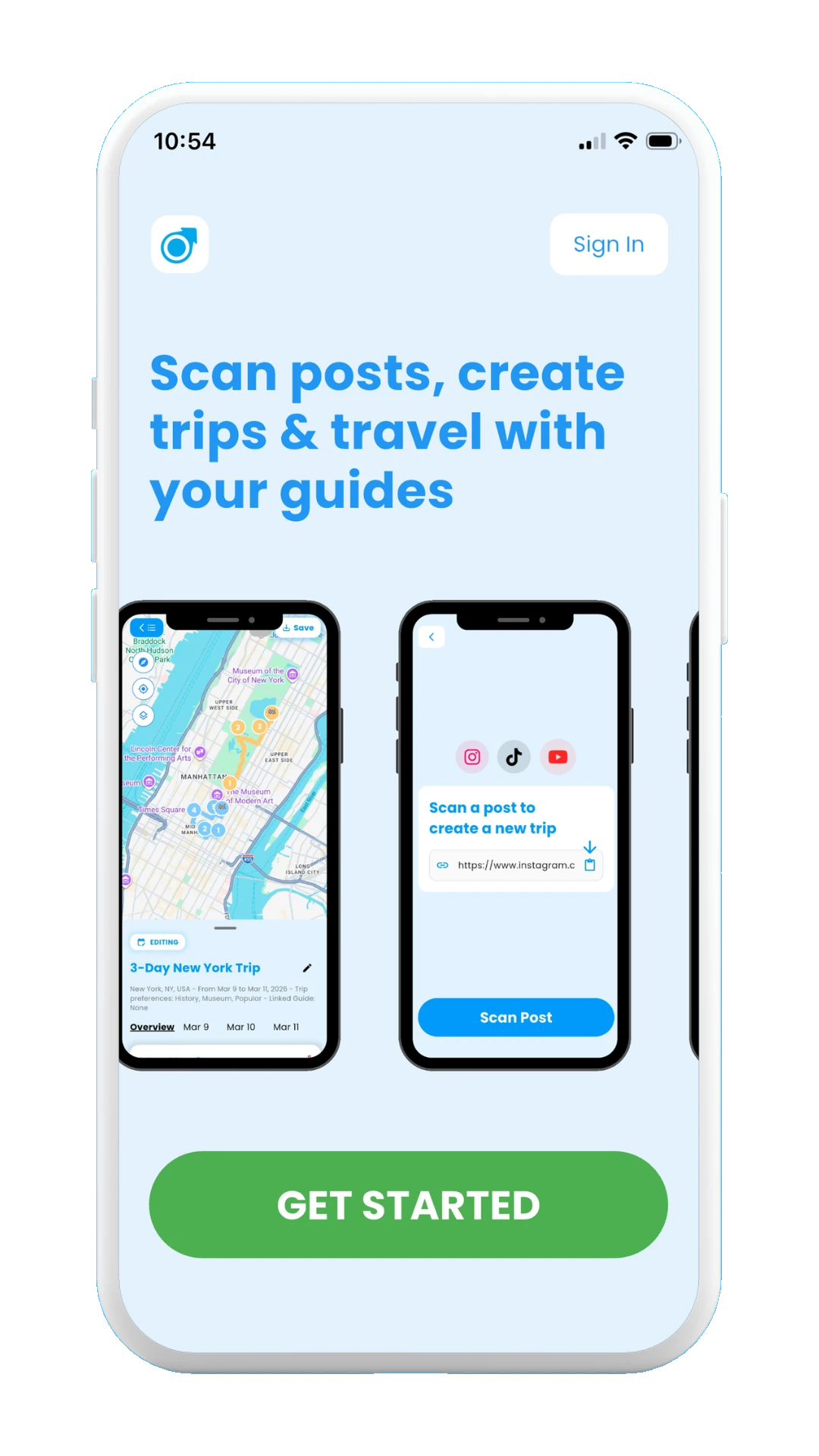
  7. You will finally be logged out and redirected to the app's welcome screen.

The images below show how the brevious steps look in the app:
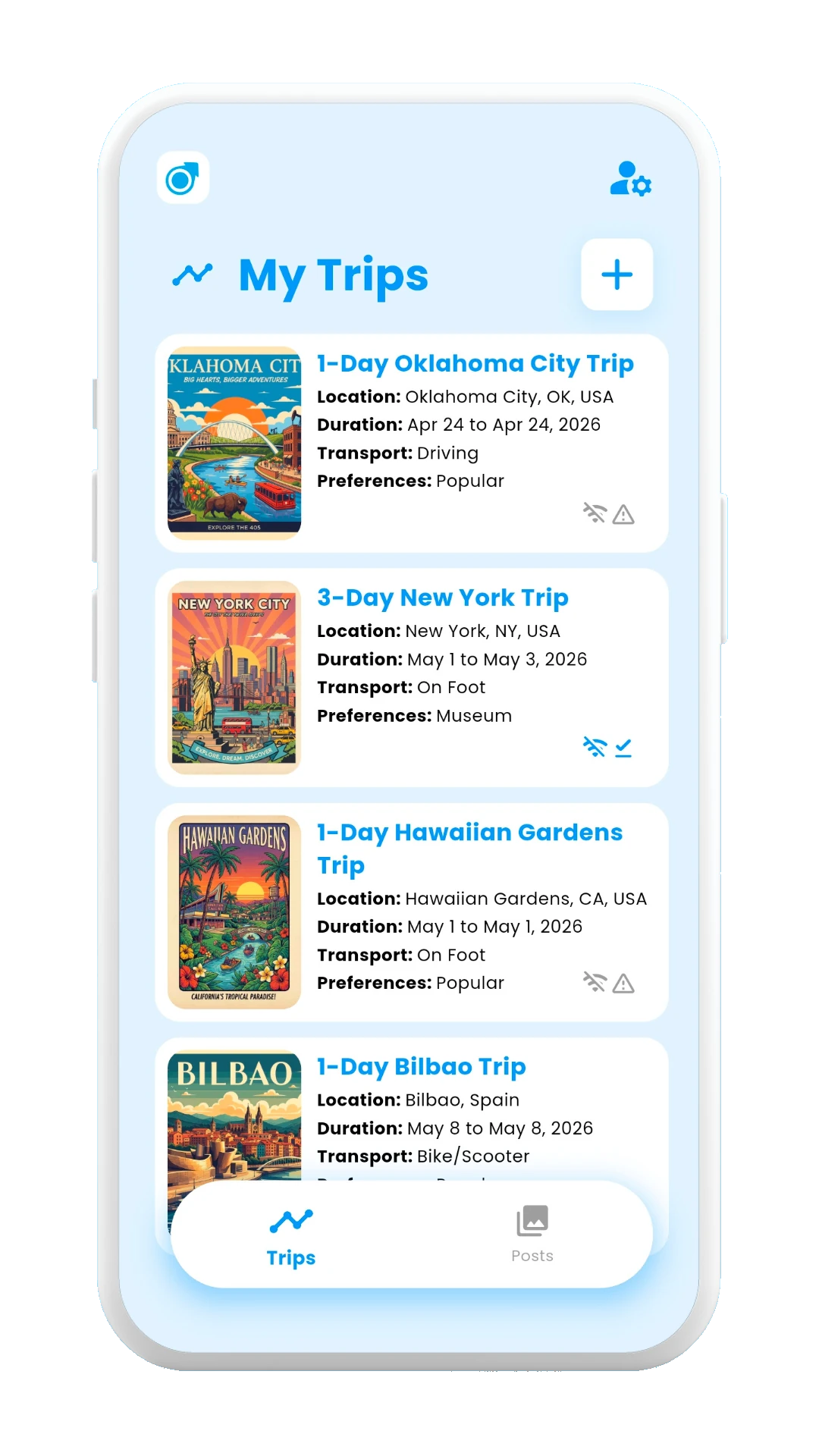
Meily Trips: How to delete your account

Select the user settings icon in the top-right of the screen
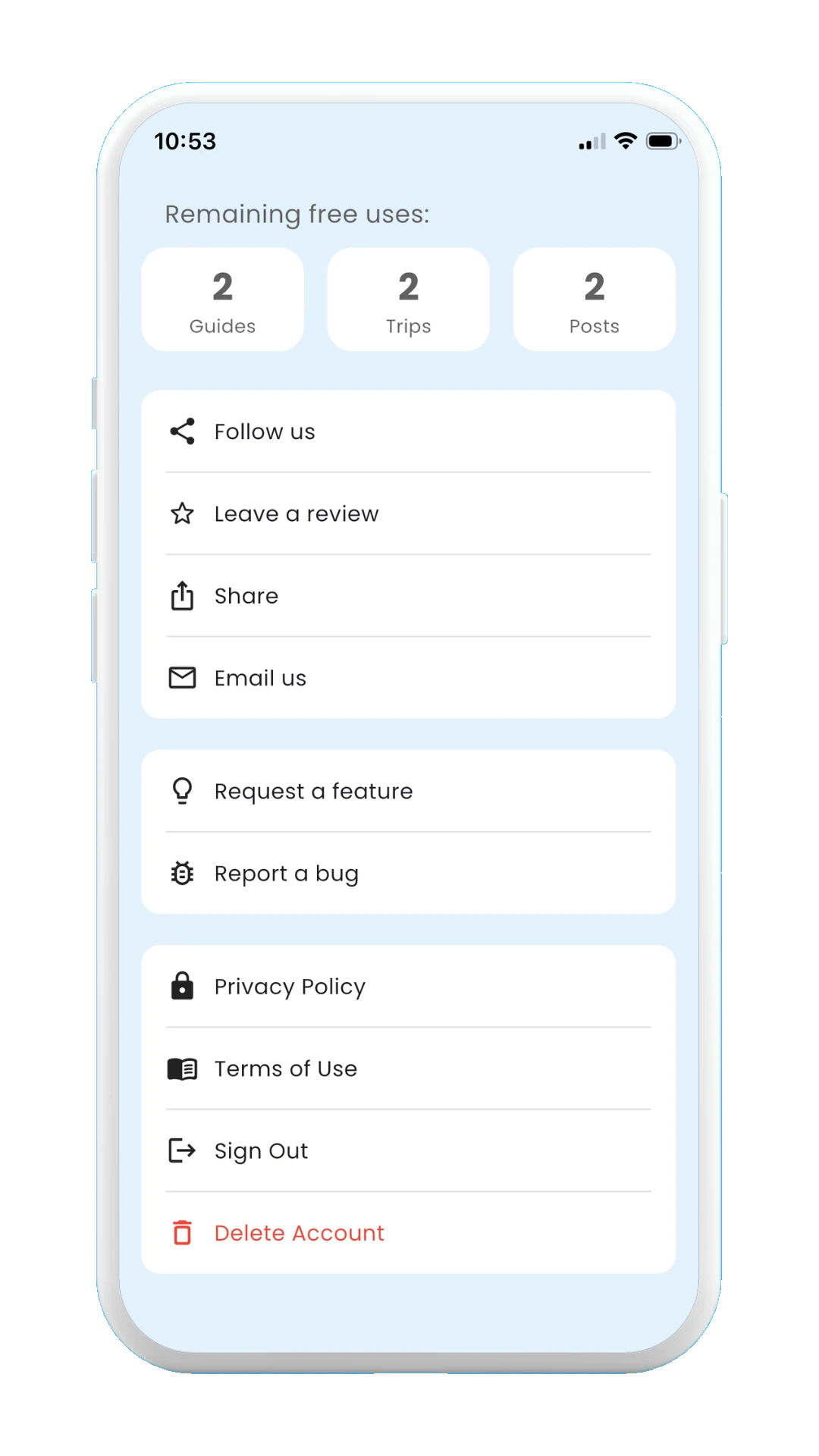
Meily Trips: How to delete your account: settings

Select delete account

Meily Trips: How to delete your account: confirm deletion

Confirm deletion

Meily Trips: How to delete your account: confirm password

Confirm password

Meily Trips: How to delete your account: account deleted

Account deleted successfully

Meily Trips: How to delete your account: redirected to welcome page

Redirected to app's welcome page

All your data will be permanently removed.

Thank you for trying Meily Trips! We will be here for your future trips!

See you in your next trip!